

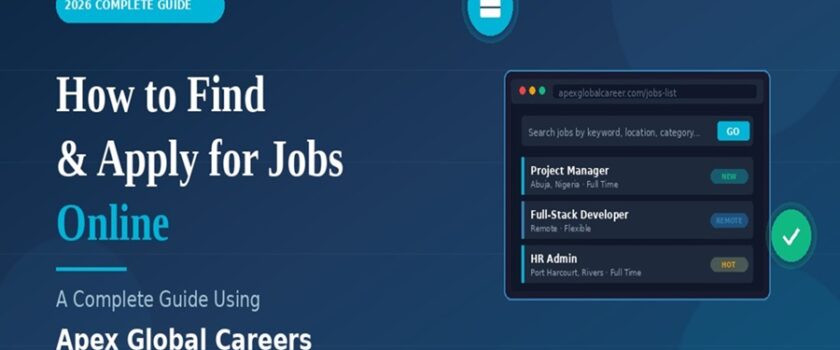
How to Find and Apply for Jobs Online in Apex Global Careers
How to Find and Apply for Jobs Online in 2026: A Complete Guide Using Apex Global Careers
Looking for a job online in 2026 is a different game than it was even three years ago. Job boards have multiplied, AI screening tools filter out most CVs before a human ever sees them, and scams pretending to be real recruiters are everywhere. If you’ve been applying for weeks without hearing back, the problem usually isn’t you — it’s the way you’re searching. in this article on How to find and apply for jobs online using Apex Global Careers
This guide walks you through exactly how to find and apply for jobs online the right way, using Apex Global Careers as a practical example of how a modern job portal works. By the end, you’ll know how to set up your profile, find roles that actually match your skills, write applications that get opened, and avoid the traps that waste most job seekers’ time.
Let’s get into it.
Why Online Job Hunting Has Become So Difficult (And What Actually Works)
If your inbox is full of “We regret to inform you” emails, you’re not alone. Here’s what most job seekers are doing wrong:
- Applying to dozens of jobs a day with the same generic CV.
- Using only one or two big job boards while ignoring smaller, higher-quality platforms.
- Submitting applications without a profile or resume already uploaded online.
- Skipping the cover letter or writing one that sounds like everyone else’s.
- Not setting up job alerts, so they miss postings in the first 48 hours when they’re most likely to get noticed.
The job seekers who actually land interviews in 2026 do the opposite. They use focused job portals, build a strong online profile once, then apply with tailored materials to a smaller number of well-matched roles.
That’s where platforms like Apex Global Careers fit in. They centralise your job search, store your resume, and let you apply quickly without starting from scratch every time. you can also lookup Ziprecruiter
What Is Apex Global Careers?
Apex Global Careers (apexglobalcareer.com) is an online job listing and career platform that connects job seekers and recruiters across multiple countries and industries. It’s free to use for candidates, which is rare among quality job portals, and it covers a wide range of categories — from IT and engineering to healthcare, banking, marketing, and the trades.
Here’s what the platform actually offers, in plain language:
| Feature | What It Does |
|---|---|
| Jobs List | Browse all current openings across industries and locations |
| Search for Job | Filter roles by keyword, location, salary range, and job type |
| Submit Resume | Upload your CV so recruiters can find you directly |
| Resume Builder | Create a professional CV inside the platform if you don’t have one |
| Job Dashboard | Track jobs you’ve applied to and saved |
| Candidate Dashboard | Manage your profile, applications, and messages |
| Job Alerts | Get notified the moment a matching role is posted |
| Career Blog | Read practical guides on interviews, resumes, remote work, and career growth |
| Post Job (for employers) | Recruiters can list openings and search resumes |
The platform supports several job types — full-time, part-time, remote, hybrid, freelance, internship, and temporary — so whether you’re looking for a 9-to-5 in Lagos, a remote developer role anywhere in the world, or a short-term contract, the filters cover it.
Step-by-Step: How to Find Jobs Online Using Apex Global Careers
Here’s the practical workflow most successful candidates follow.
Step 1: Create an Account as a Candidate in Apex Global Careers Site
Go to apexglobalcareer.com and register as a Candidate. This is different from registering as an Employer — make sure you pick the right option. You’ll need a working email address and a password you’ll actually remember.
Setting up an account takes under five minutes. Don’t skip this step and just browse listings as a guest, because without an account you can’t save jobs, set up alerts, or apply with one click later.
Step 2: Build or Upload Your Resume to Apex Global Careers
You have two options here, and which one you pick matters.
Option A — Upload an existing CV: If you already have a polished resume in PDF or Word format, head to “Submit Resume” and upload it. This is fastest if your CV is already strong.
Option B — Use the Resume Builder: If your CV is outdated, missing key sections, or you’re just starting out, use the built-in Resume Builder instead. It walks you through each section (contact info, summary, work history, education, skills) and produces a clean, recruiter-friendly format.
A few quick rules for your resume in 2026:
- Keep it to one or two pages maximum.
- Use a clear, simple layout — fancy designs often get rejected by AI screening tools.
- Include keywords from the actual job descriptions you’re applying for.
- Quantify achievements wherever possible (“Increased sales by 30%” beats “Helped grow sales”).
- Add a professional email address — not the one you made when you were 14.
Step 3: Search and Filter for Real Opportunities in Apex Global Career
This is where most people waste time. Don’t scroll through every job posting on the site. Use the filters.
| Filter | How to Use It |
|---|---|
| Keywords | Type the exact job title you want (e.g., “Project Manager”, “Radiographer”, “Sales Officer”) |
| Location | Narrow to your city, country, or “Remote positions only” |
| Category | Pick from 20+ industry categories — Engineering, Healthcare, IT, Finance, etc. |
| Job Type | Tick Full Time, Remote, Part Time, Freelance, Internship, or Temporary |
| Salary Range | Set minimum and maximum to skip underpaid roles |
A targeted search of 5 to 10 well-matched jobs beats blasting 50 applications into the void. Quality always beats quantity in online job hunting.
Step 4: Set Up Job Alerts
Before you do anything else, set up a job alert that matches your ideal role. New jobs get the most attention in the first 24 to 48 hours after posting — being one of the first applicants dramatically increases your chances of getting noticed.
Click “Add Alert” on the jobs page, enter your search criteria, and you’ll get notifications when matching jobs go live.
Step 5: Apply With a Tailored Cover Note
When you find a role you like, click “Apply” — but don’t just submit your generic resume and hit send. Take three extra minutes to write a short, specific cover note.
A good cover note for an online application looks like this:
Hi [Hiring Manager / Team],
I’m applying for the [Job Title] role at [Company]. I’ve spent [X years] working in [relevant field], and I noticed your listing mentions [specific requirement] — that’s something I’ve handled directly at [previous role/project].
I’ve attached my resume. Happy to share examples of [specific work] if helpful.
Thanks, [Your Name]
Three sentences. Specific. Mentions one thing from the actual listing. That’s it. The candidates who write these get far more callbacks than candidates who paste in long, generic letters.
Step 6: Track Your Applications
Use the Job Dashboard inside your Apex Global Careers account to keep track of which roles you’ve applied to and when. If you hear nothing after 7 to 10 working days, it’s reasonable to follow up — but only once.
Don’t apply to the same job twice. It looks desperate and recruiters notice.
How to Make Your Profile Stand Out to Recruiters
Here’s a piece of advice most job seekers miss: recruiters don’t just wait for applications. They also search candidate databases for people with specific skills. If your resume is uploaded with the right keywords, recruiters will reach out to you — sometimes for roles that were never publicly posted.
To get found:
- Include specific job titles in your resume that match what you want next, not just what you did before.
- List technical skills explicitly (software names, certifications, tools, languages) — these are searchable terms.
- Add your location and willingness to relocate or work remotely, since recruiters often filter by geography.
- Keep your profile updated. A resume last edited two years ago signals you’re no longer actively looking, and recruiters skip stale profiles.
- Use industry-standard terms. If your job title at your last company was “Customer Success Ninja,” translate it to “Customer Support Specialist” on your resume.
Common Online Job Application Mistakes to Avoid
| Mistake | What to Do Instead |
|---|---|
| Sending the same CV to every job | Tailor your CV for each application |
| Applying to roles you’re not qualified for | Apply where you meet at least 70% of requirements |
| Skipping the cover note | Write 3 specific sentences for each application |
| Using an unprofessional email | Create a clean firstname.lastname@gmail.com |
| Ignoring application instructions | Read carefully — many include hidden screening tests |
| Forgetting to follow up | One polite follow-up after 7–10 days is professional |
| Applying only to “easy” roles | Stretch one level up — many “requirements” are wish lists |
How to Spot Legitimate Jobs and Avoid Online Job Scams
Online job hunting comes with risks. Scammers specifically target eager job seekers, and the patterns to watch for are pretty consistent.
Red flags that mean you should walk away:
- The “employer” asks for any payment — for training, certification, equipment, or background checks.
- The salary is dramatically higher than market rate for the role.
- They want to interview you only via text or WhatsApp.
- The job description is vague and uses lots of buzzwords without specifics.
- They offer you the job without a proper interview process.
- The email address is from a free provider and doesn’t match the company name.
- They ask for your bank details or ID copies before any contract is signed.
Green flags that suggest a legitimate listing:
- The company has a verifiable website and physical office.
- The interview process involves multiple stages with named people.
- The job description includes specific responsibilities and requirements.
- They use a company email domain.
- They’re willing to answer detailed questions about the role and company.
Apex Global Careers, like other reputable job portals, screens listings, but it’s still smart to do your own due diligence on every employer before sharing personal information.
Tips to Speed Up Your Online Job Search
If you want to compress the timeline from “starting to look” to “starting a new job,” apply these habits consistently:
- Treat job hunting like a part-time job. Block 1–2 hours every weekday rather than binge-applying once a week.
- Apply within 48 hours of a listing going live. Earlier applicants get more attention.
- Build relationships, not just applications. Engage with companies on LinkedIn, comment thoughtfully, follow recruiters.
- Improve your skills while applying. Even one new certification can move you ahead of similar candidates.
- Track everything. Use the dashboard to know what you’ve applied for, when, and what stage each is at.
- Prepare for interviews in advance. Don’t wait for a callback — practice common questions now.
- Ask for feedback after rejections. Most recruiters won’t give it, but some will, and that information is gold.
Frequently Asked Questions
Is Apex Global Careers free for job seekers? Yes. Candidates can register, upload resumes, search for jobs, and apply without any fees.
Can I find remote jobs on Apex Global Careers? Yes. The platform has a dedicated filter for remote positions, along with hybrid, freelance, and contract options.
How many jobs are listed on the platform? The platform regularly updates its listings across industries and locations. Check the Jobs List for the current count.
Can I apply for jobs in different countries? Yes. Apex Global Careers is a global platform with listings across multiple regions, and you can filter by location to find opportunities anywhere.
Do I need a CV before I sign up? No. You can use the built-in Resume Builder to create one from scratch after you register.
How do recruiters find my profile? When you submit your resume, recruiters using the platform can search candidate profiles by keyword, skills, and location. A complete, well-written profile gets discovered more often.
How do I know if a job listing is legitimate? Check that the employer has a verifiable website, ask detailed questions during the interview, and never pay any fees to apply for a job. Use the red flag list earlier in this article.
Final Thoughts
Finding a job online in 2026 isn’t about luck — it’s about working a clear process consistently. The candidates who succeed pick a few quality platforms, build a strong profile once, set up alerts, apply quickly with tailored materials, and track everything. Apex Global Careers gives you the tools to do all of that in one place, and it’s free to start.
If you’ve been frustrated by months of silent applications, the fix often isn’t applying to more jobs, it’s applying smarter to fewer. Start with the steps in this guide:
- Create your candidate account at https://apexglobalcareer.com.
- Upload or build your resume.
- Set up at least one job alert.
- Apply to three to five well-matched roles this week with tailored cover notes.
That’s a realistic starting point that beats the spray-and-pray approach almost every time. The next opportunity you land could be one application away but only if your application actually gets read.
Good luck out there.